
Enforcing SSO or MFA authentication requirements for access to the Signature 365 web portal
It is possible to configure Signature 365 to enforce SSO or MFA authentication requirements to access the web portal. Both SSO and MFA authentication can be enabled for an account, but enforcement can only be applied for one authentication method at a time. To enable this, follow the instructions below.
Log on to the Signature 365 portal, and select Teammates from the menu item.
Select the Authentication Policy button from the Teammates screen

By default, enforcement is disabled for a Signature 365 tenant.
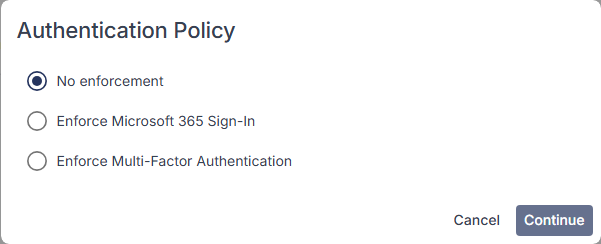
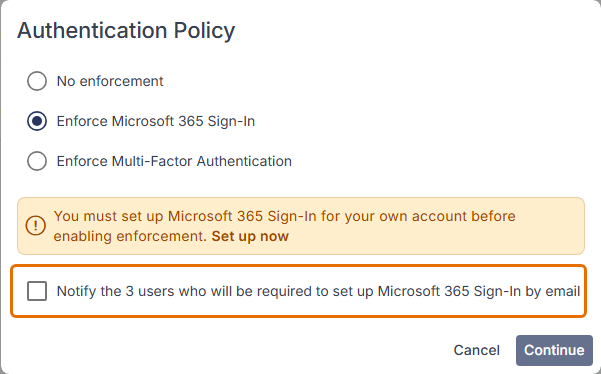
Select the enforcement type that you require. This will detail the number of users that do not currently have the authentication method enabled. Selecting the notify option will email any users to prompt enrolment.
You must set up the selected method for your own account before enabling enforcement. Select Set up now in the warning to do this.
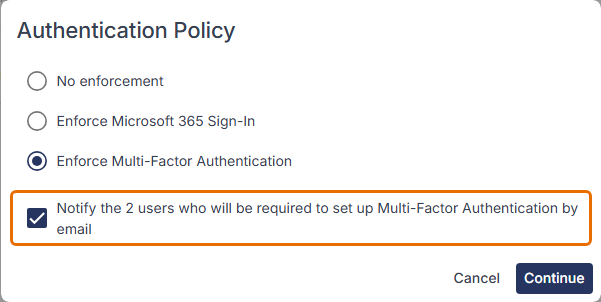
The same option is available for multi-factor authentication:
The current sign-in method for a user is listed along with their details on the Teammates screen.
Select Continue, then click the Enable policy button to turn on enforcement.
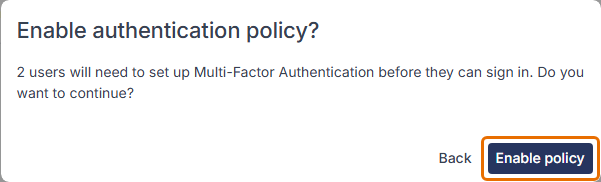
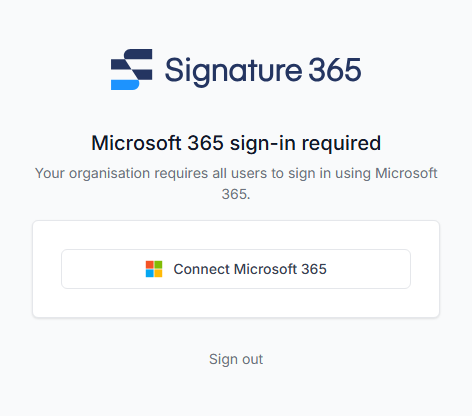
Users will be prompted to enrol with the selected sign-in method on the next login to Signature 365.
Changing signatures in plain text emails is not supported
Learn why Signature 365 cannot change plain-text email signatures and how to switch to HTML format instead.
How to capture an HTTP Archive (HAR) log from Microsoft Edge DevTools
Capture an HTTP Archive (HAR) log in Microsoft Edge DevTools to help support diagnose backend issues.